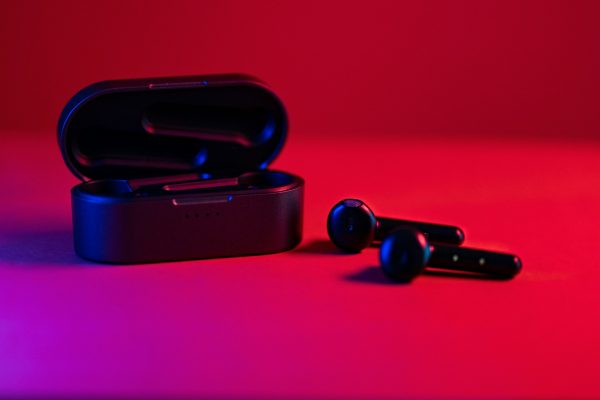

Let’s be honest, the sheer convenience of wireless earbuds is completely offset by the absolute nightmare of keeping track of them. Losing an individual bud is frustrating enough, but misplacing the actual charging case is a different sort of panic. It’s a scenario that leaves you with useless plastic in your ears and nowhere to charge them. It’s not the end of the world, though. If you’re currently tearing the sofa apart looking for your AirPods case, you can just get a replacement sorted online.
Before you ask, no, AppleCare+ won’t bail you out if you’ve lost the case or had it nicked. There used to be a bit of a discount floating around for the Pro models depending on your region, but looking at Apple’s current service estimates, that seems to have quietly disappeared. If you’ve just smashed the case rather than lost it, AppleCare+ will actually step in and cover both standard and Pro cases, though you’ll still be on the hook for a $29 incident fee.
The actual dent in your wallet for a full replacement depends entirely on what you’re carrying. You’re generally looking at somewhere between $59 and $99 direct from Apple. Standard first and second-generation cases will set you back $79 for the wireless version and $59 for the older Lightning one. For the AirPods 3, it’s $69 for Lightning and $79 for MagSafe. The newer AirPods 4 cases sit at $69 for the standard and $79 for wireless. Up in the Pro tier, pretty much everything, whether it’s the original Pro, the USB-C or Lightning Pro 2, or the standard Pro 3, will run you a flat $99.
Getting a replacement straight from the source is fairly painless. Head over to Apple’s AirPods support portal, sign in with your Apple ID, and hit the ‘Get Service’ button. Select ‘Lost or Missing AirPods’ and then choose the option to replace the lost case. They’ll guide you through the rest. You might need your serial number, which you can easily dig out in your iPhone settings under the name of your AirPods. Obviously, if you’re dealing with a damaged case rather than a lost one, make sure to flag it as physical or liquid damage instead.
If you’d rather not deal with Apple directly, the big retailers are your best bet. There isn’t an official third-party replacement programme as such, but you can pick up official Apple wireless charging cases from places like Best Buy, or hunt down cheaper third-party alternatives on Amazon. Just double-check your exact generation before hitting buy, as shoving a newer bud into an older case rarely ends well.
Keeping your hardware intact is only half the battle, especially with Apple’s high-end gear. On the software side of things, Apple has just pushed out a new firmware update for the AirPods Max 2, bumping the version number from 8E251 to 8E258. True to form, the company hasn’t provided a detailed changelog, but given the minor version jump, we’re mostly looking at under-the-hood bug fixes and optimisations rather than anything groundbreaking.
This is quite a timely drop. Since the Max 2 launched at the beginning of April, Reddit has been awash with complaints regarding battery drain, spotty connection stability, and a few other niggling issues. Early user reports suggest this new firmware finally sorts out the battery drain for most people, though a few lingering connection drops are still being flagged, so it seems the fix hasn’t universally resolved everything for every single unit out there.
It makes sense that they are still ironing out the software quirks. The Max 2 just had a massive hardware overhaul back in March 2026, marking their first proper upgrade in over five years. Beyond a few fresh colours and the long-awaited shift from Lightning to USB-C, they finally inherited the H2 audio processor that Apple has been putting in the AirPods Pro 2. This brought the over-ear cans bang up to date, unlocking vastly improved noise cancellation and live translation features that simply weren’t possible on the old silicon.
If you’re lucky, your headphones have probably updated themselves already. Unlike iOS updates, there’s no massive pop-up telling you a new firmware is ready, nor is there a manual install button to force it. To get the firmware to pull down, you essentially have to plug the AirPods Max into power and leave them sitting near your paired iPhone, iPad, or Mac. If the update is pending, it usually installs itself silently within half an hour. If you want to verify you’re actually running the latest build, just dive into your device’s settings, tap on your AirPods Max, and scroll right down to the ‘About’ section to check your current version number.